
 Contact
 How to shop
Delivery
Shopping guide
Easel 0.4.5 CNC Software for Beginners 2027
A Complete Step-by-Step Guide to Machine Setup, CNC Design, Toolpaths, Carving, Troubleshooting, and Profitable Projects
 English
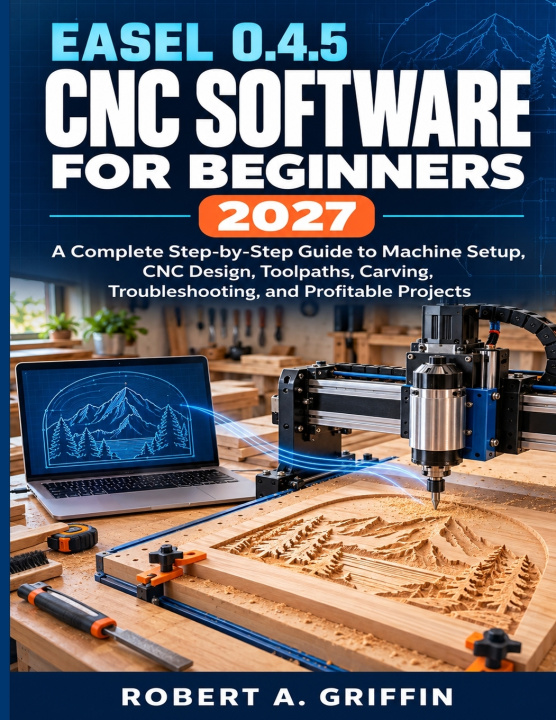
 49 b
49 b
 Coming soon
 New
New
Up to 30 days for returns

Your CNC router can produce impressive work, but only when the software, toolpath, bit, material, and machine setup all work together.
If Easel feels confusing, your machine will not connect, or your carvings keep coming out too deep, too shallow, rough, burned, misplaced, or incorrectly sized, this guide will help you understand what is going wrong and what to do next.
Easel 0.4.5 CNC Software for Beginners 2027 gives complete beginners a clear, practical path from opening Easel to completing accurate and repeatable CNC projects. Every important concept is explained in plain English, including machine setup, CNC design, toolpaths, materials, router bits, work zero, carving, troubleshooting, and project pricing.
You will not simply learn which buttons to press. You will understand how each decision affects the finished carve, why common problems occur, and how to check your work before wasting valuable material.
Whether you use an X-Carve, a 3018-style router, FoxAlien, SainSmart, VEVOR, or another compatible GRBL-based CNC machine, this book will help you build a safer and more dependable design-to-carve workflow.
INSIDE THIS BOOK, YOU WILL LEARN HOW TO:
• Understand what Easel does and how it communicates with your CNC machine
• Set up a compatible CNC router and confirm that its axes move correctly
• Navigate the Easel dashboard, design canvas, settings, and project controls
• Create designs using shapes, text, alignment, grouping, duplication, and node editing
• Import and clean artwork for accurate CNC carving
• Choose suitable materials, router bits, cut depths, feed rates, and plunge rates
• Understand engraving, pocket, inside, outside, on-path, V-carving, and other toolpath choices
• Use the preview to identify depth, placement, toolpath, and sizing problems before carving
• Secure material, install the correct bit, establish work zero, and perform a cautious dry run
• Troubleshoot connection failures, rough cuts, burning, chatter, incorrect dimensions, lost steps, and unfinished carves
• Maintain your CNC router and record successful settings for future projects
• Estimate material, labor, machine time, overhead, and a suitable selling price
You will also complete six guided projects that gradually develop your skills, including an engraved nameplate, a pocketed house sign, a V-carved welcome sign, a personalized serving board, a two-bit detailed carving, and a repeatable product for sale.
Each project introduces new techniques while reinforcing the complete workflow: design, preview, setup, carve, inspect, and improve.
With clear explanations, practical safety guidance, useful illustrations, and step-by-step projects, this book helps replace uncertainty with a process you can understand and repeat.
If you are ready to stop guessing, avoid preventable mistakes, and begin creating CNC projects with greater confidence, get your copy today and start building your skills one project at a time.


About the book
English

Give this book today
It's easy
1 Add to cart and choose Deliver as present at the checkout 2 We'll send you a voucher 3 The book will arrive at the recipient's addressHi! I'm Libroamiko, your book advisor.
How can I help you?