
 Contact
 How to shop
Delivery
Shopping guide
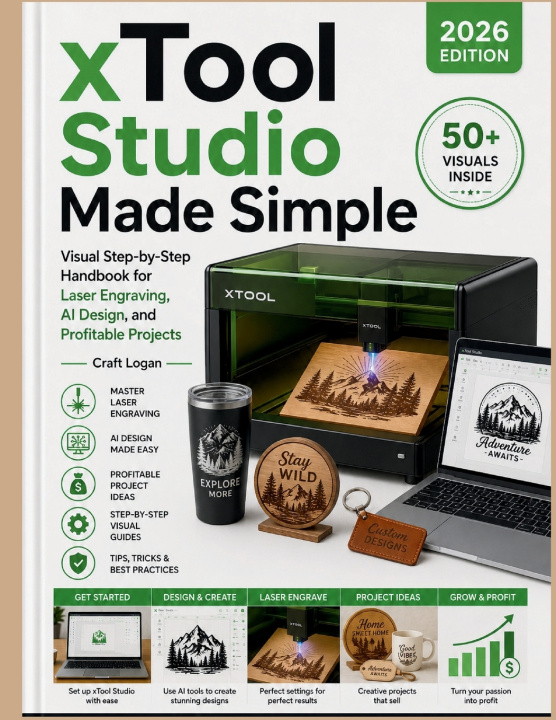
xTool Studio Made Simple (2026 Edition)
Visual Step-by-Step Handbook for Laser Engraving, AI Design, and Profitable Projects
 English
 69 b
69 b
 New
New
Up to 30 days for returns

Ready to turn your creative ideas into professional laser-engraved products without feeling overwhelmed by complicated software and technical settings? xTool Studio Made Simple (2026 Edition) is the beginner-friendly visual handbook that teaches you how to confidently use xTool Creative Space and xTool laser machines for engraving, cutting, AI-assisted design, customization, and profitable project creation.
Whether you're completely new to laser engraving or looking to improve your workflow and start selling products, this practical guide simplifies the entire process into clear step-by-step instruction designed for real makers, hobbyists, small business owners, and creative entrepreneurs.
Instead of confusing tutorials and scattered online videos, this handbook focuses on practical real-world workflows that help you create polished projects faster while avoiding expensive beginner mistakes.
Inside this complete xTool Studio guide, you'll learn how to:
• Set up xTool Studio and configure your laser machine correctly
• Understand the interface, tools, layers, settings, and workflow basics
• Create laser-ready designs using beginner-friendly methods
• Use AI-assisted design features to generate creative project ideas faster
• Import and optimize SVGs, PNGs, text, logos, and graphics correctly
• Master engraving, cutting, scoring, and material settings confidently
• Work with wood, acrylic, leather, metal, glass, slate, cardstock, and more
• Avoid burning, misalignment, weak cuts, warped materials, and common laser problems
• Calibrate power, speed, focus, and resolution settings for cleaner results
• Design personalized gifts, signs, tumblers, ornaments, jewelry, and custom products
• Create products suitable for Etsy shops, craft fairs, online stores, and side businesses
• Improve workflow efficiency and organize production projects professionally
• Maintain your laser equipment safely and extend machine lifespan
• Troubleshoot common xTool Studio and laser engraving issues quickly
Unlike generic laser engraving books that focus only on theory, this guide emphasizes hands-on visual learning with practical projects that help you build confidence while creating real products you can use, gift, or sell.
The visual step-by-step format makes intimidating software features easier to understand while helping beginners avoid frustration during setup, design preparation, and material testing.
You'll also discover practical business-focused advice for turning laser engraving into a profitable creative side hustle through customized products, efficient workflows, and high-demand project ideas.
Perfect for:
• xTool beginners
• Laser engraving hobbyists
• Small craft business owners
• Etsy sellers
• DIY makers and creators
• Personalized gift designers
• Creative entrepreneurs
• Home workshop users
• Anyone exploring AI-assisted creative tools
Whether you want to create custom home décor, engraved gifts, personalized products, business merchandise, educational projects, or profitable laser-crafted items, this guide gives you the practical foundation needed to work confidently with xTool Studio and laser engraving technology.
By the end of this book, you'll understand how to design, engrave, optimize, troubleshoot, and create professional-looking laser projects with greater confidence and efficiency.
If you're ready to stop feeling intimidated by laser engraving software and finally start creating beautiful projects and profitable products with confidence, xTool Studio Made Simple (2026 Edition) will guide you step by step from beginner basics to advanced creative workflows.


About the book
English

Give this book today
It's easy
1 Add to cart and choose Deliver as present at the checkout 2 We'll send you a voucher 3 The book will arrive at the recipient's addressHi! I'm Libroamiko, your book advisor.
How can I help you?